

Marketing Mind
Newsletter
  • Home
  • Advertising
  • Marketing
  • Media
  • Business
  • What’s Buzzing
  • Millennial Achievers
  • More
    • All
    • Case Studies
    • Celebrating Women Leaders
    • Guest Posts
    • Podcast and Video
    The Phygital Revolution: Merging Physical & Digital Retail

    The Phygital Revolution: Merging Physical & Digital Retail

    Regional Content + AI = The Next Growth Engine In Influencer Marketing

    Regional Content + AI = The Next Growth Engine In Influencer Marketing

    From Algorithms To Intelligence: AI SEO Redefines The Approach In 2026

    From Algorithms To Intelligence: AI SEO Redefines The Approach In 2026

    Balance Isn’t Found, It’s Built: Nando’s Anushree Bose On Life, Leadership & Letting Go

    Balance Isn’t Found, It’s Built: Nando’s Anushree Bose On Life, Leadership & Letting Go

    Sunakshi Soni, Andaz Delhi, Hyatt, Director Marketing & Communications, Sunakshi Soni Andaz Delhi, Hyatt India, luxury hotels India, hospitality marketing, brand communication, hotel marketing, Quirk Brand Consulting, Stanley Communications

    Zero to Viral: A Roadmap That Actually Works

    Festive Glow-Up: Experiential Campaigns & Instant Deliveries Drove Fashion Growth

No Result
View All Result
  • Home
  • Advertising
  • Marketing
  • Media
  • Business
  • What’s Buzzing
  • Millennial Achievers
  • More
    • All
    • Case Studies
    • Celebrating Women Leaders
    • Guest Posts
    • Podcast and Video
    The Phygital Revolution: Merging Physical & Digital Retail

    The Phygital Revolution: Merging Physical & Digital Retail

    Regional Content + AI = The Next Growth Engine In Influencer Marketing

    Regional Content + AI = The Next Growth Engine In Influencer Marketing

    From Algorithms To Intelligence: AI SEO Redefines The Approach In 2026

    From Algorithms To Intelligence: AI SEO Redefines The Approach In 2026

    Balance Isn’t Found, It’s Built: Nando’s Anushree Bose On Life, Leadership & Letting Go

    Balance Isn’t Found, It’s Built: Nando’s Anushree Bose On Life, Leadership & Letting Go

    Sunakshi Soni, Andaz Delhi, Hyatt, Director Marketing & Communications, Sunakshi Soni Andaz Delhi, Hyatt India, luxury hotels India, hospitality marketing, brand communication, hotel marketing, Quirk Brand Consulting, Stanley Communications

    Zero to Viral: A Roadmap That Actually Works

    Festive Glow-Up: Experiential Campaigns & Instant Deliveries Drove Fashion Growth

No Result
View All Result
Marketing Mind
No Result
View All Result
Home Digital Media

Tips To Create And Edit Films Using Moviemaker

Shubham Sachdeva by Shubham Sachdeva
April 22, 2022
in Digital Media
A A

Movie Maker is a video editing software that allows users to create and edit videos and share them through different social media platforms. The program comes pre-installed in Microsoft Windows, and it is also available for download on other devices, such as smartphones and tablets.

Movie Maker is intended for people who want to create their own movies or slideshows by capturing the scenes with a camera or adding existing content from the computer, including photos and music.

Adjusting the videography and audio settings will help you improve your videos’ quality and make them more appealing to viewers. You can easily apply effects and transitions to your footage and export it in MP4 or WMV format. 

Create a new project and Import Media

One of the first steps in using any video editing software is to create a new project. This includes importing media files to be used in that project. If you have several videos ready to go, you can import them all at once and then edit each one individually as needed. 

However, if you are just getting started with video editing or making your first film from scratch, it is best to start by creating a single project for your video.

This way, you won’t waste time trying to sync up multiple videos into one big project. Instead, you can focus on learning how to use video editing software before moving on to bigger projects.

To create a new project:

  1. Open Movie Maker online or on your computer. You can usually find it in the Start menu. If it is not there, use the search box to locate it.
  2. Select ‘New Project’ from the File menu at the top of the screen or click ‘Create a new movie’ in the middle of the window that appears when you open Movie Maker.
  3. Name your movie and select where you would like it saved by clicking ‘Browse’ in the ‘Save movie file as’ dialog box.

To Import Media:

  1. Click ‘Add Videos and Photos’ from the Home tab on the ribbon at the top of the screen. Browse to locate your media files, select them, and click ‘Open’.
  2. Click through each image or video clip to preview it in the organization pane on the right side of the screen. Drag those you wish to use into the timeline below them in the order you want them to appear in your movie.

Edit your video

After you have imported the media, you need to drag them from the Collection bin to the timeline at the bottom of the screen. You can either drag and drop each clip individually or select all of them and drag them together.

Click on the Play button at the top left of your screen to see if everything is working properly. You can also resize and reposition each clip individually using your mouse.

Windows Movie Maker online offers a great variety of effects that will help you make your video look more professional. You can access them by clicking on Visual Effects in the toolbar at the top of your screen.

Remove unwanted clips

With Movie Maker, it is easy to remove unwanted clips from your video, leaving only the best shots for all of your friends and family to see.

Click on a clip that you want out of your movie and hit delete. You can also select a clip by clicking on it and dragging it to the storyboard at the bottom of the screen to remove it.

And if you want to use a shot but don’t want people seeing the whole thing, just drag one end of the clip so that it ends where you want it to.

Add titles and credits to your movie

If you are interested in learning how to edit a video, adding titles and credits will take a little practice.

MovieMaker includes all of your standard text formatting options, so you can adjust color and size by clicking on a font in your menu bar and then clicking on formatting.

Also, make sure that you choose a font that is easy to read when enlarged. 

Once you have chosen your font, open up MovieMaker’s video editing interface by going to video > add title/credits.

Add background music to your movie

One of movie editing’s biggest joys is also one of its simplest: adding background music. Click and drag an audio file from your computer into the timeline, and it will automatically sync up with your video. 

If you need to trim a clip down to size, select it and use your mouse to drag either end of it until you have what you want.

Add transitions between scenes and clips

When adding a transition, you can see a preview of how that transition will look before it is applied to your clip. When applying transitions, though, make sure to use them sparingly—if too many transitions are used, your video can look choppy and disjointed. 

Experiment with different transitions in order to figure out which ones work best for each specific project.

Preview and save your movie

First, preview your movie to make sure it’s running smoothly. Next, save your movie so you can edit it later. Before you publish your film to YouTube or other sites, go back and re-edit if necessary. There are several different types of editing available in Movie Maker. 

When ready, save your movie with a new name so that you have an alternate copy of your original idea. Now you can experiment with different scenes and shots without worrying about losing your original footage.

Takeaway

Moviemaker is a great alternative to using expensive, complicated products like Adobe Premiere and iMovie. If you’re looking for an all-in-one package for video editing, then Moviemaker will save you a lot of time and money.

MovieMaker is a great tool for working with videos on your PC. It is easy to use, and its friendly interface makes it intuitive to create and edit videos with professional effects. If you’re working on a production, it also has some very useful abilities, such as the option of splitting when exporting.

It may not be perfect, but it’s still an excellent video editing tool for Windows users who don’t need advanced features.

Related Posts

Female Youtubers In India
Digital Media

Here Are The Top 10 Female Youtubers In India.

by Rinie Wilson
June 5, 2024

Here Are the Top 10 Female YouTubers in India: Making Waves in the Digital Realm

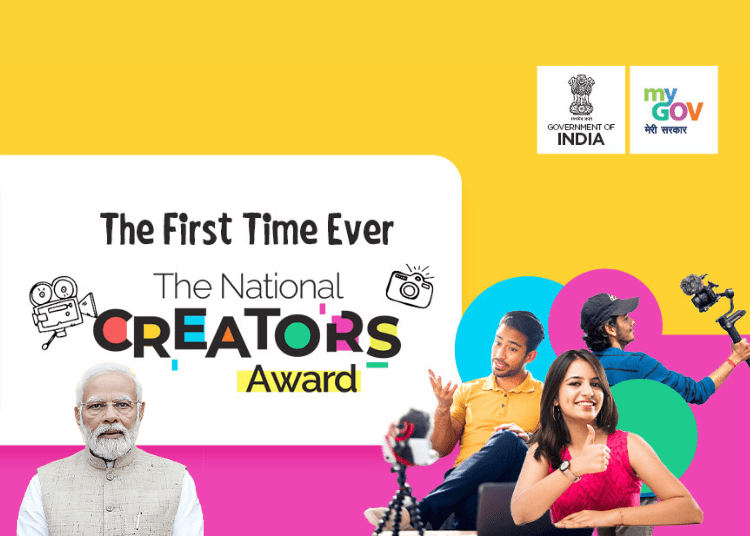
Inaugural National Creators Awards Witnesses PM NaMo Bestowing 23 Winners Across 20 Categories
Digital Media

Inaugural National Creators Awards Witnesses PM NaMo Bestowing 23 Winners Across 20 Categories

by MM Desk
March 11, 2024

On March 8, Prime Minister Narendra Modi presented the much awaited inaugural National Creators Award at Bharat Mandapam, New Delhi....

Latest

Django Scales Operations From A 240 sq ft Room To A 4000 sq ft Integrated Agency

Django Scales Operations From A 240 sq ft Room To A 4000 sq ft Integrated Agency

December 4, 2025
La Pink, Haldi Se Honeymoon Tak, microplastic-free beauty, wedding campaign, skincare rituals, emotional storytelling, Indian couples, natural glow, Nitin Jain, beauty formulations

La Pink Unveils New Wedding Campaign Exploring The Journey From Ceremony To Connection

December 4, 2025
Print Ad Space Sees 3% Growth In Jan–Sep 2025 :TAM AdEx

Print Ad Space Sees 3% Growth In Jan–Sep 2025 :TAM AdEx

December 4, 2025
BCCI & Adidas Roll Out Team India’s T20 World Cup 2026 Jersey

BCCI & adidas Roll Out Team India’s T20 World Cup 2026 Jersey

December 4, 2025
Junglee Games Elevates Co-Founder Kapil Rathee As CEO

Junglee Games Elevates Co-Founder Kapil Rathee As CEO

December 4, 2025
seventy five percent-browsing-happens-online-while-ninety percent-buying-happens-in-store-caratlanes-shaifali-gautam

75% Browsing Happens Online While 90% Buying Happens In-Store: CaratLane’s Shaifali Gautam

December 4, 2025
Facebook X-twitter Instagram Youtube Linkedin
Discover the latest trends in Marketing, Advertising, Startups & Media.​
  • About Us
  • Millennial Achievers
  • Contact Us
  • Privacy Policy
  • Become a Guest Contributor
  • About Us
  • Millennial Achievers
  • Contact Us
  • Privacy Policy
  • Become a Guest Contributor

To Advertise & Collaborate With Marketing Mind, Contact Us Here.

Subscribe to our newsletter for exclusive content.

By continuing you agree to our Privacy Policy & Terms & Conditions


©2025 Copyright. RVCJ Digital Media Pvt Ltd

To Advertise & Collaborate With Marketing Mind, Contact Us Here.

Subscribe to our newsletter for exclusive content.

  • About Us
  • Contact Us
  • Become a Guest Contributor
  • Terms & Conditions
  • Privacy Policy
Facebook X-twitter Instagram Youtube Linkedin

©2024 Copyright. RVCJ Digital Media Pvt Ltd

Welcome Back!

Login to your account below

Forgotten Password? Sign Up

Create New Account!

Fill the forms bellow to register

All fields are required. Log In

Retrieve your password

Please enter your username or email address to reset your password.

Log In
No Result
View All Result
  • Home
  • Advertising
  • Marketing
  • Media
  • Business
  • What’s Buzzing
  • Millennial Achievers
  • More

© 2025 RVCJ Digital Media Pvt Ltd.

This website uses cookies. By continuing to use this website you are giving consent to cookies being used. Visit our Privacy and Cookie Policy.